
Jest,是由Facebook开发的单元测试框架,集成了karma + mocha + chai + sinon的所有常用功能,较少配置,开箱即用。
安装依赖
npm i vue

npm i -D jest vue-jest babel-jest @vue/test-utils

npm i babel-core@^7.0.0-0 eslint eslint-plugin-jest @babel/preset-env -D
编写配置文件
Jest配置
vue-jest用于对Vue文件的解析
babel-jest用于对js文件的解析
@vue/test-utils提供了大量测试Vue组件的方法
// test/unit/jest.conf.js
const path = require('path');

module.exports = {
    // 执行上下文
    rootDir: path.resolve(__dirname, '../../'),
    // 扩展名
    moduleFileExtensions: [
        'js',
        'json',
        'vue',
    ],
    // 文件名称规则映射
    moduleNameMapper: {
        '^@/(.*)$': '<rootDir>',
    },
    // 文件处理
    transform: {
        '^.+\\.js$': '<rootDir>/node_modules/babel-jest',
        '.*\\.(vue)$': '<rootDir>/node_modules/vue-jest',
    },
    // 启动测试 加载的文件
    setupFiles: ['<rootDir>/test/unit/setup'],
    // 生成的测试覆盖报告存放的目录
    coverageDirectory: '<rootDir>/test/unit/coverage',
    // 需要测试的文件
    collectCoverageFrom: [
        'packages/**/*.{js,vue}',
        '!**/node_modules/**',
    ],
};

// setup.js
import Vue from 'vue';
Vue.config.productionTip = false;
ESLint配置
项目中使用了ESLint,需增加对jest语法支持。安装eslint-plugin-jest后,在extends中添加plugin:jest/recommended字段
module.exports = {
    root: true,

    env: {
        node: true,
    },

    // 添加plugin:jest/recommended配置 测试文件不在报jest语法错误
    extends: ['plugin:vue/essential', '@vue/prettier', 'plugin:jest/recommended'],

    rules: {
        'no-console': process.env.NODE_ENV === 'production' ? 'error' : 'off',
        'no-debugger': process.env.NODE_ENV === 'production' ? 'error' : 'off',
    },

    parserOptions: {
        parser: 'babel-eslint',
    },
};
Babel配置
在写测试文件时,也会使用ES6相关的语法,则需要配置Babel在测试环境用于编译的模块等。
组件库开发时,使用了babel 7的版本,但babel-jest仅支持babel 6.5+的版本,babel 7无论是配置文件的语法还是组件库都不向下兼容,故安装babel-core@^7.0.0-0
@babel/preset-env支持了最新的ES语法。
babel-plugin-transform-vue-jsx该插件则支持Vue的JSX语法。
注意
babel-plugin-transform-vue-jsx插件需安装4.x版本,详情查看
// babel.config.js
module.exports = {
    env: {
        test: {
            presets: ['@babel/preset-env'],
            plugins: ['transform-vue-jsx'],
        },
    },
};
开始测试
添加启动命令
在package.json中添加npm script
"scripts": {
    // test 是npm script的保留字 可直接执行npm test
    "test": "npm run unit",
    "unit": "jest --config test/unit/jest.conf.js --coverage"
},
编写第一个文件
准备工作已完成,接下来就开始写测试文件来测试我们的组件
// test/unit/specs/DynamicTable.spec.js
import { shallowMount } from '@vue/test-utils';
import FilterPanel from '@/packages/dynamic-table/src/components/filter-panel.vue';

describe('<filter-panel />', () => {
    test('should render correct contents', () => {
        const wrapper = shallowMount(FilterPanel);
        expect(wrapper.vm.filterVisible).toBe(false);
    });
});
启动测试
npm test
jest 会自动扫描项目目录下所有文件名以 .spec.js/.test.js 结尾的测试文件,并执行测试用例。
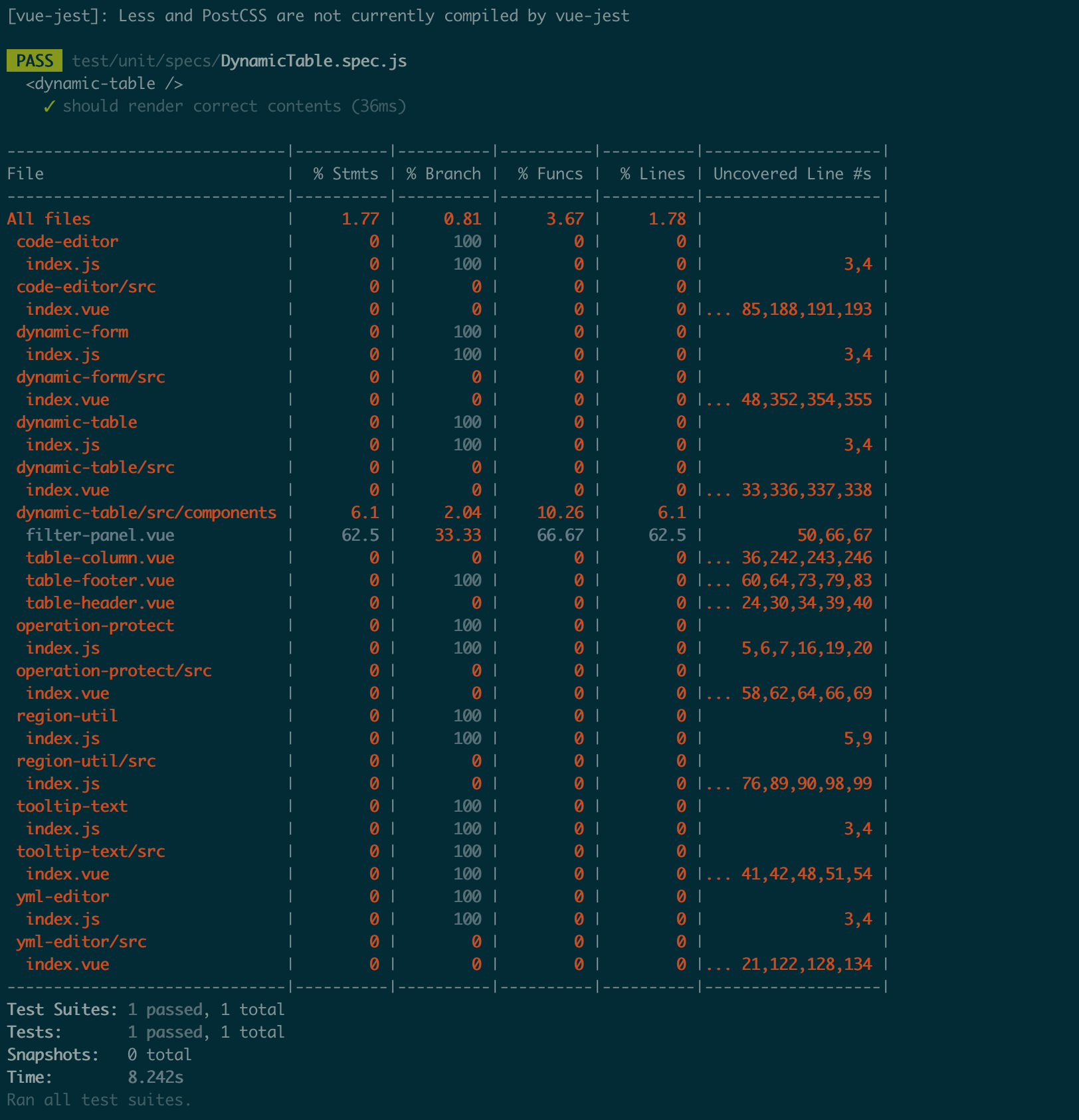
测试用例已通过,不过看到上面大量的红色么,接下来的测试用例就靠大家来补充了!
相关的一些测试方法后续再进行补充。